
Java—流和IO
[TOC]
Java的java.io库提供了IO接口,IO是以流为基础进行输入输出的。
流又可以分为:输入流、输出流、字节流、字符流等。流相互结合使用,有字节输入流、字节输出流、字符输入流、字符输出流等。
输入流表示从一个源读取数据,输出流表示向一个目标写数据。
字节流操作的数据单元是字节(byte),字符流操作的数据单元是字符(char)。
Java流和IO
流
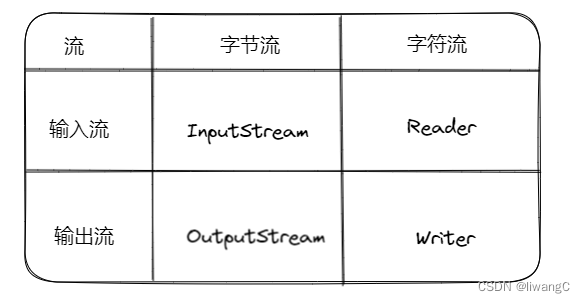
输入流的基类:InputStream、Reader 主要用于读数据
输出流的基类:OutputStream、Writer 主要用于写数据
字节流的基类:InputStream、OutputStream
字符流的基类:Reader、Writer
InputStream
主要方法:
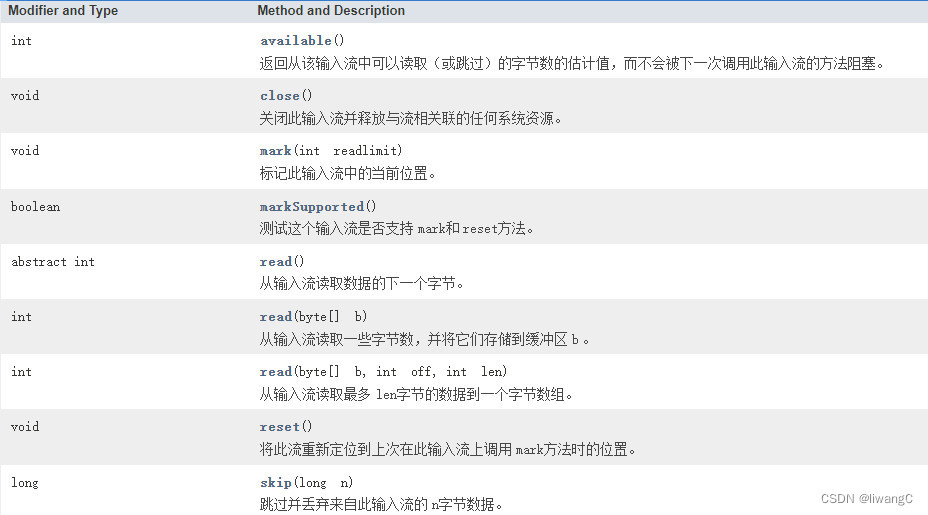 常用方法详情:
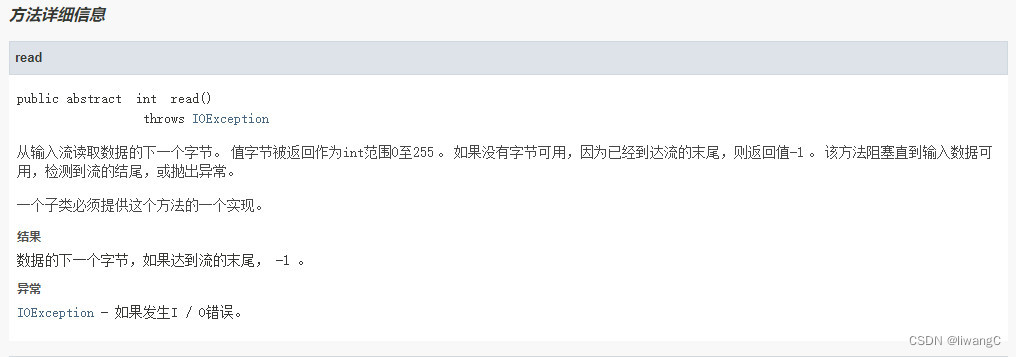
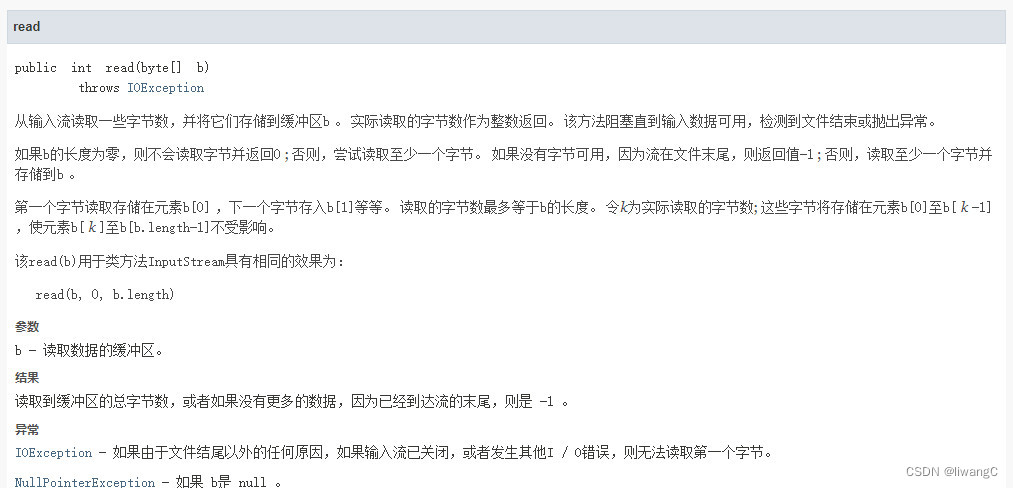

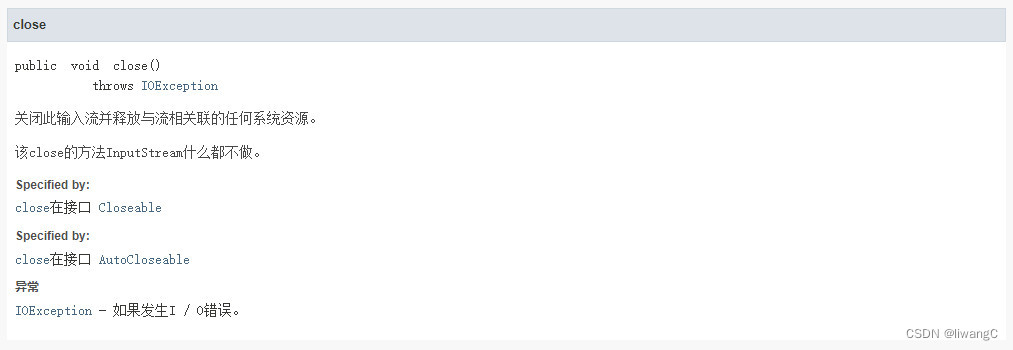 相应接口文档可查看:java文档中文
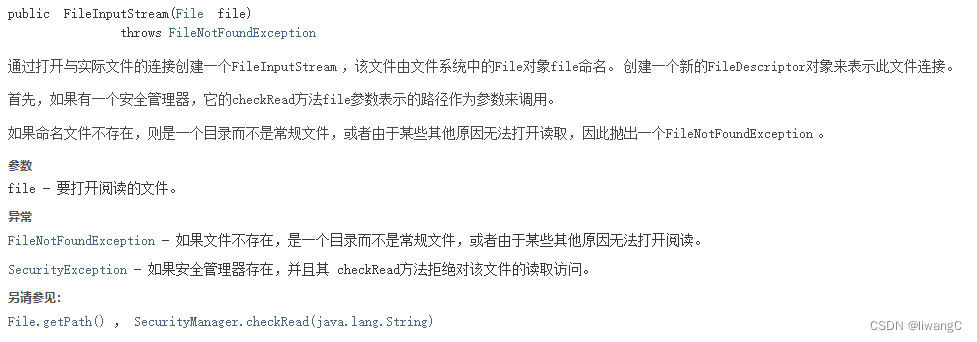
FileInputStream
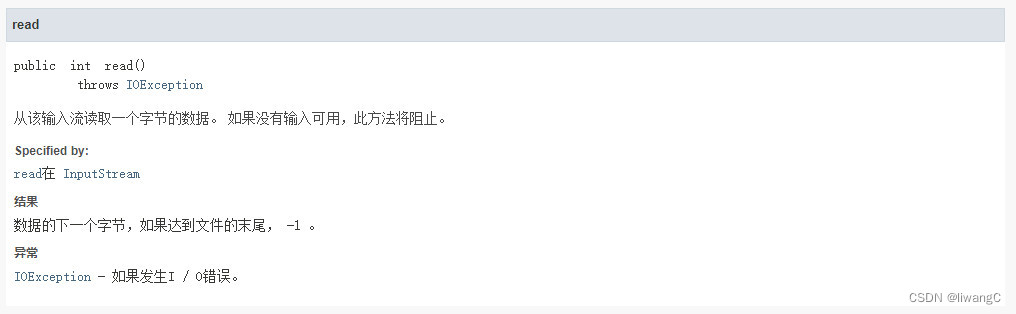
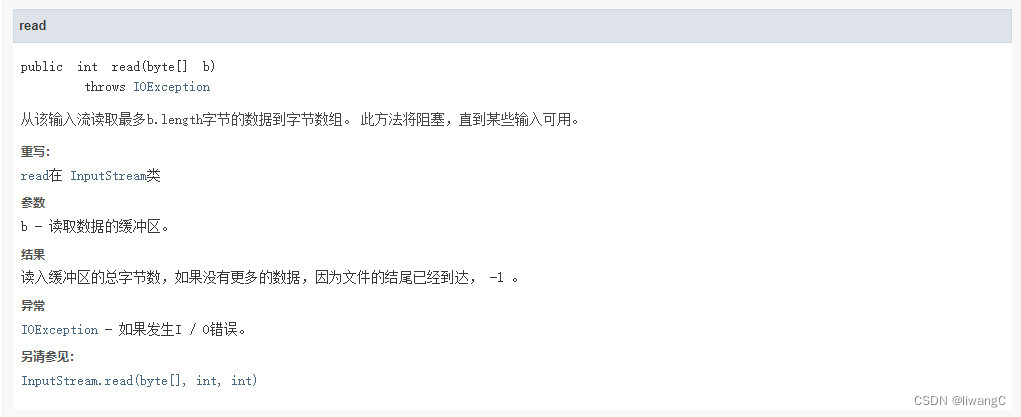
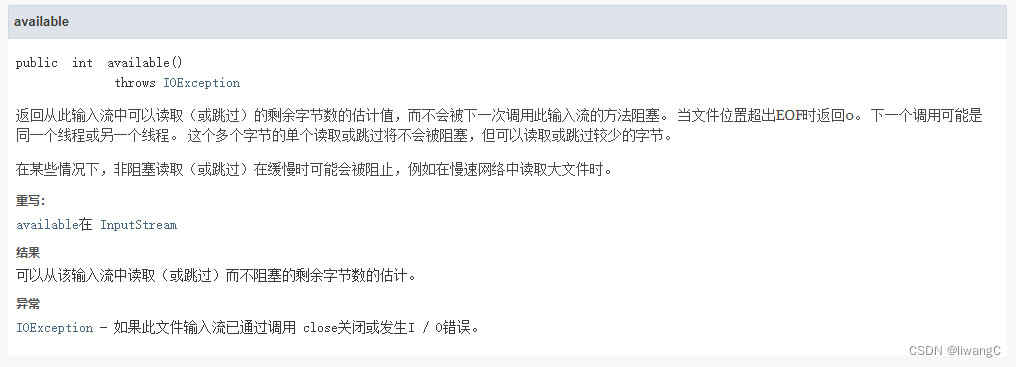
FileInputStream 继承了InputStream ,主要方法:
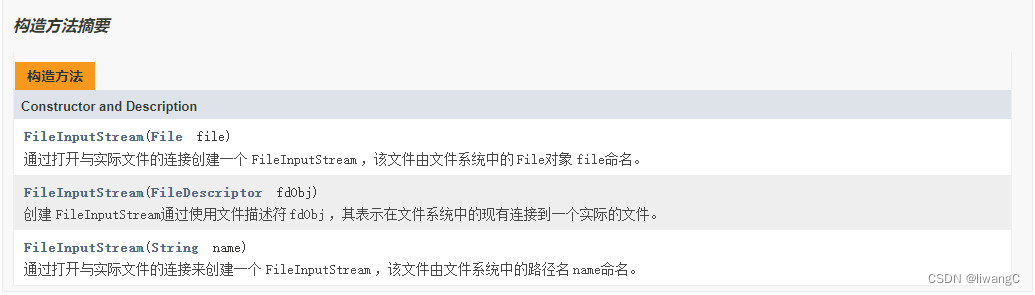
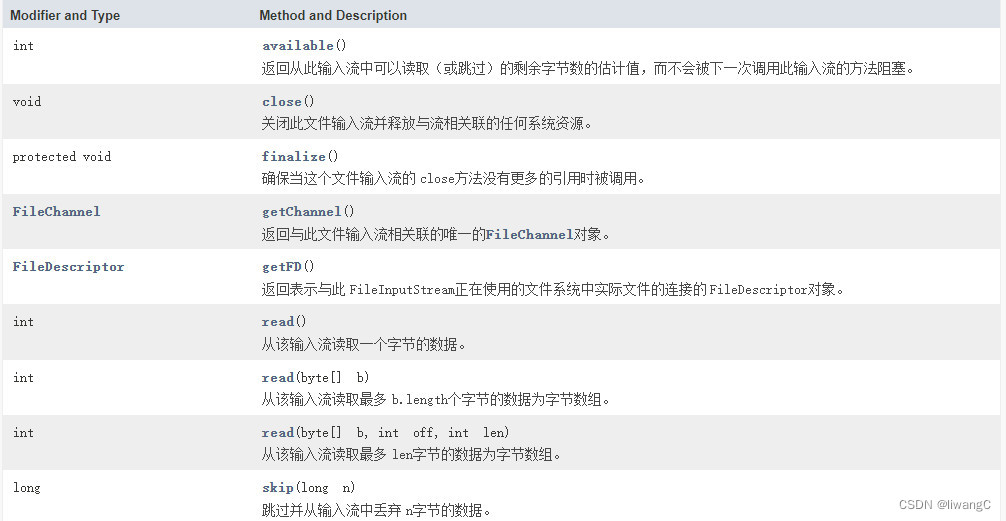
常用方法详情
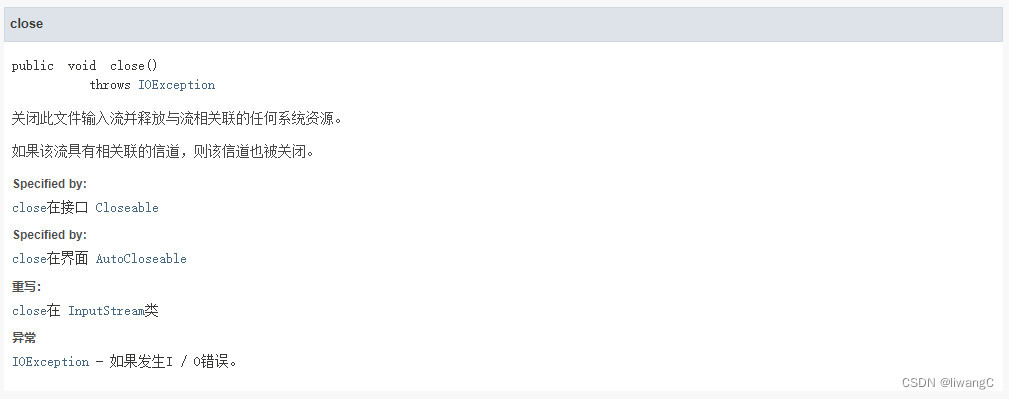
构造方法,常用于连接实际文件创建一个FileInputStream 对象,使用该对象完成上述流的操作
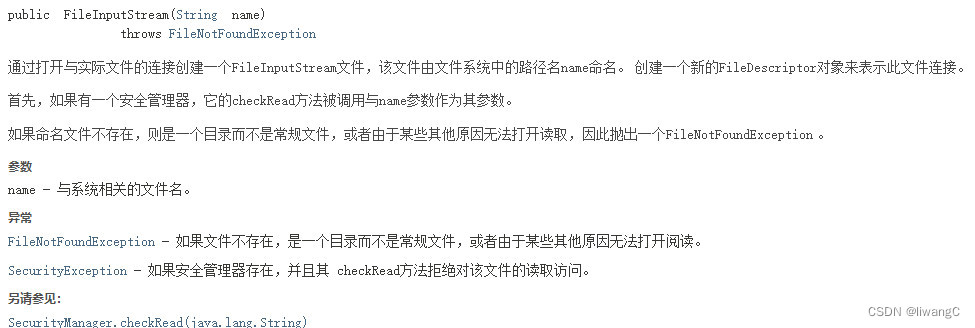
代码示例
从一个文件中读取字节数据,先创建一个data.txt ,输入:北国风光,千里冰封,万里雪飘。望长城内外,惟余莽莽;大河上下,顿失滔滔。 以UTF-8编码保存。
public class InputStreamDemo {

    public static void main(String[] args) {
        // data.txt 路径
        String fileName = "D:\\work\\workspace\\java-learn\\io\\data.txt";
        readMsg(fileName);
    }

    public static void readMsg(String fileName) {
        byte[] data = null;
        try {
            // 创建输入流
            FileInputStream fis = new FileInputStream(fileName);
            // 在读写操作前获取数据流的字节大小
            int readSize = fis.available();
            data = new byte[readSize];
            // 从输入流fis中读取data.length字节数据到字节数组data
            // 这里的读数据,还可以根据fis.read())!=-1,一个个字节读取。
            fis.read(data);
            // 释放资源
            fis.close();

            System.out.println("size = " + readSize);
            // 遍历字节数组
            for (int i = 0; i < data.length; i++) {
                System.out.print(data[i] + "、");
            }
        } catch (FileNotFoundException e) {
            e.printStackTrace();
        } catch (IOException e) {
            e.printStackTrace();
        }
    }
}


这样,就完成了使用FileInputStream 读取文件数据。可以使用data.txt 内容直接转换成字节数组,看看与FileInputStream 读取文件数据内容是否一致。
public static void main(String[] args) {
        // data.txt 路径
//        String fileName = "D:\\work\\workspace\\java-learn\\io\\data.txt";
//        readMsg(fileName);

        String s = "北国风光,千里冰封,万里雪飘。望长城内外,惟余莽莽;大河上下,顿失滔滔。";
        try {
            byte[] data = s.getBytes("UTF-8");
            System.out.println("字节数组大小: " + data.length);
            // 遍历字节数组
            for (int i = 0; i < data.length; i++) {
                System.out.print(data[i] + "、");
            }
        } catch (UnsupportedEncodingException e) {
            e.printStackTrace();
        }

    }

对比一致。这样就可以在已经有文件的时候,使用FileInputStream 读取相应文件内容。 在接口文档中,read有三种读取方式:
1、read()
public static void readMsg2(String fileName) {
        try {
            // 创建输入流
            FileInputStream fis = new FileInputStream(fileName);
            int b;
            while ((b = fis.read()) != -1) {
                // 因为fis.read() 返回值是一个个字节的整形,这里需要转换一下
                System.out.print((byte)b + "、");
            }
            // 释放资源
            fis.close();
        } catch (FileNotFoundException e) {
            e.printStackTrace();
        } catch (IOException e) {
            e.printStackTrace();
        }
    }
这个方法要注意的是read()返回值是整形,至于为什么,可以参考:Java 编程下 IO 中的输入流的 read() 方法返回值为什么是 int 值_music0ant的博客-CSDN博客
2、read(byte[] bytes)
这个方法就是上面的例子使用的
3、read(byte[] b, int off, int len)
public static void readMsg3(String fileName) {
        byte[] data = null;
        try {
            // 创建输入流
            FileInputStream fis = new FileInputStream(fileName);
            // 这里设置的大小一般为1024的倍数
            data = new byte[1024];
            int len;
            while ((len = fis.read(data, 0, data.length)) != -1) {
                // 字节转换成字符
                System.out.println(new String(data, 0, len));
            }
            // 释放资源
            fis.close();

            // 遍历字节数组
            for (int i = 0; i < data.length; i++) {
                System.out.print(data[i] + "、");
            }
        } catch (FileNotFoundException e) {
            e.printStackTrace();
        } catch (IOException e) {
            e.printStackTrace();
        }
    }
BufferInputStream
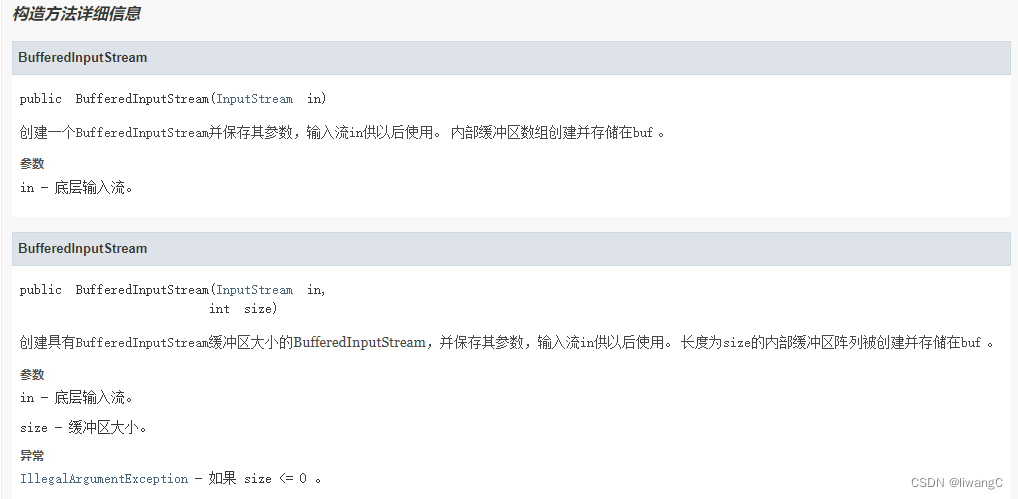
BufferedInputStream 是FilterInputStream 的子类,而FilterInputStream 又是InputStream 的子类 FileInputStream 的read() 方法,是直接从磁盘中读取数据至内存;而BufferedInputStream 底层是维护了一块大小为 DEFAULT_BUFFER_SIZE = 8192 的缓存区,它read()方法会使用到fill() 方法,该方法完成将数据存放到缓冲区中,但该方法内,底层会调用FileInputStream 的read() 方法,将数据从磁盘取出。
- 使用BufferedInputStream 需要传入一个InputStream
BufferedInputStream bis = new BufferedInputStream(new FileInputStream("D:\\work\\workspace\\java-learn\\io\\data.txt"));
这时,BufferedInputStream 获取到了相应的FileputStream 流及设置了默认的缓存区大小
public BufferedInputStream(InputStream in) {
        this(in, DEFAULT_BUFFER_SIZE);
}
in 代表了流
- 然后在使用BufferedInputStream 的read()方法时(包括有参及无参的方法),都会存三两个方法的调用:fill()和getInIfOpen()及getBufIfOpen()
public synchronized int read() throws IOException {
        if (pos >= count) {
            fill();
            if (pos >= count)
                return -1;
        }
        return getBufIfOpen()[pos++] & 0xff;
    }
public synchronized int read(byte b[], int off, int len)
        throws IOException
    {
        getBufIfOpen();
        .....省略
            int nread = read1(b, off + n, len - n);// 调用read1() 中含有fill() 方法
        .....省略
    }

private int read1(byte[] b, int off, int len) throws IOException {
        .....省略
            if (len >= getBufIfOpen().length && markpos < 0) {
                return getInIfOpen().read(b, off, len);
            }
            fill();
        .....省略
        System.arraycopy(getBufIfOpen(), pos, b, off, cnt);
        pos += cnt;
        return cnt;
    }
private void fill() throws IOException {
        byte[] buffer = getBufIfOpen();
        if (markpos < 0)
            pos = 0;            /* no mark: throw away the buffer */
        else if (pos >= buffer.length)  /* no room left in buffer */
            if (markpos > 0) {  /* can throw away early part of the buffer */
                int sz = pos - markpos;
                System.arraycopy(buffer, markpos, buffer, 0, sz);
                pos = sz;
                markpos = 0;
            } else if (buffer.length >= marklimit) {
                markpos = -1;   /* buffer got too big, invalidate mark */
                pos = 0;        /* drop buffer contents */
            } else if (buffer.length >= MAX_BUFFER_SIZE) {
                throw new OutOfMemoryError("Required array size too large");
            } else {            /* grow buffer */
                int nsz = (pos <= MAX_BUFFER_SIZE - pos) ?
                        pos * 2 : MAX_BUFFER_SIZE;
                if (nsz > marklimit)
                    nsz = marklimit;
                byte nbuf[] = new byte[nsz];
                System.arraycopy(buffer, 0, nbuf, 0, pos);
                if (!bufUpdater.compareAndSet(this, buffer, nbuf)) {
                    // Can't replace buf if there was an async close.
                    // Note: This would need to be changed if fill()
                    // is ever made accessible to multiple threads.
                    // But for now, the only way CAS can fail is via close.
                    // assert buf == null;
                    throw new IOException("Stream closed");
                }
                buffer = nbuf;
            }
        count = pos;
        int n = getInIfOpen().read(buffer, pos, buffer.length - pos);
        if (n > 0)
            count = n + pos;
    }
- getInIfOpen() 获取到了in流,getBufIfOpen() 获取到了缓存区,使用read() 方法就获取到了缓存区内的数据。
private InputStream getInIfOpen() throws IOException {
        InputStream input = in;
        if (input == null)
            throw new IOException("Stream closed");
        return input;
    }
private byte[] getBufIfOpen() throws IOException {
        byte[] buffer = buf;
        if (buffer == null)
            throw new IOException("Stream closed");
        return buffer;
    }
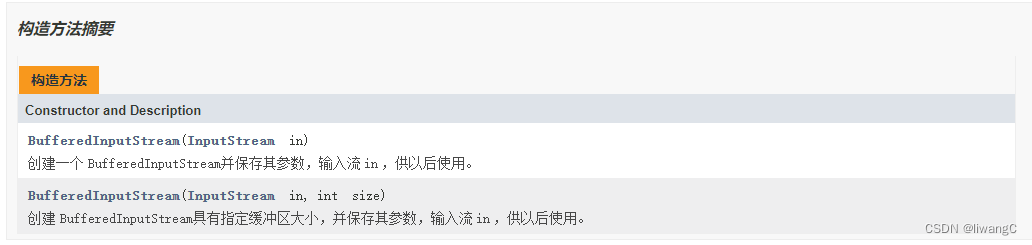
BufferedInputStream 当创建BufferedInputStream时,将创建一个内部缓冲区数组。 当从流中读取或跳过字节时,内部缓冲区将根据需要从所包含的输入流中重新填充,一次有多个字节。 mark操作会记住输入流中的一点,并且reset操作会导致从最近的mark操作之后读取的所有字节在从包含的输入流中取出新的字节之前重新读取。
主要方法:
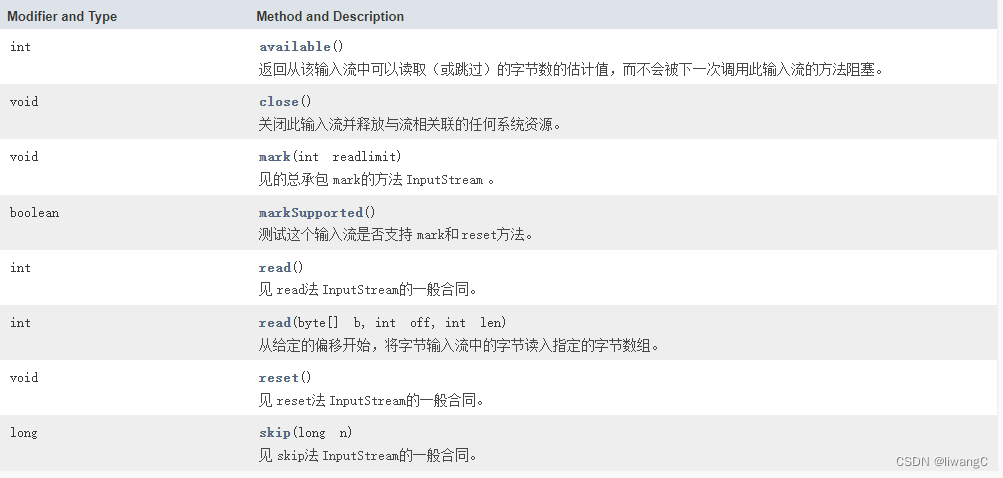
常用方法详情
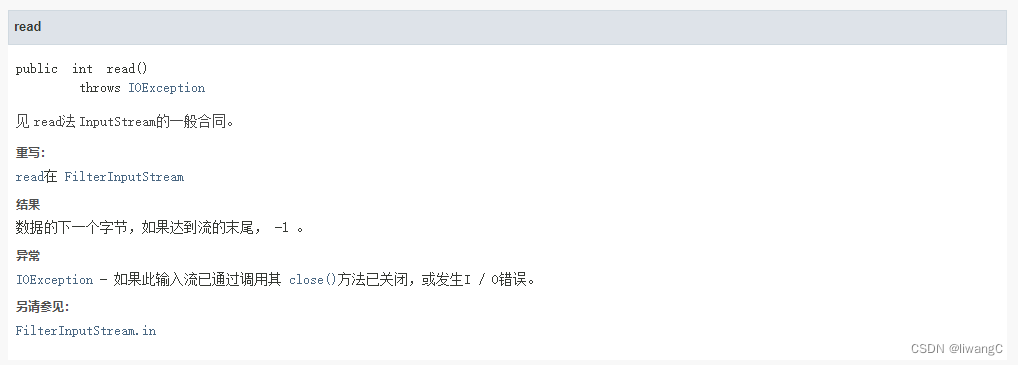
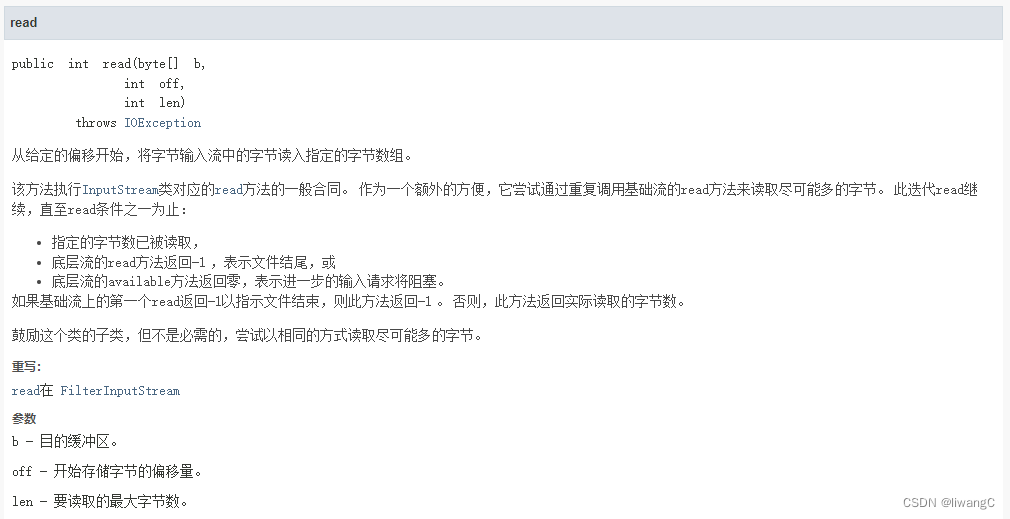

代码示例
1、read()
直接使用read() 方法逐步读取
public static void read(String file) {
        try {
            // 获取文件的输入流
            FileInputStream fis = new FileInputStream(file);
            // 使用构造方法获取缓冲流对象
            BufferedInputStream bis = new BufferedInputStream(fis);
            // 记录数据的下一个字节,如果到达了流的末尾,为 -1
            int len;
            // 计算有多少的字节
            // 判断是否到达流的末尾,退出循环
            while ((len = bis.read()) != -1) {
                // read() 返回的是字节的整形,需要转换
                System.out.print((byte)len + "、");
            }

            // 释放资源
            bis.close();
        } catch (FileNotFoundException e) {
            e.printStackTrace();
        } catch (IOException e) {
            e.printStackTrace();
        }
    }
2、通过read(byte[] b)读取
public static void read2(String file) {
        try {
            FileInputStream fis = new FileInputStream(file);
            BufferedInputStream bis = new BufferedInputStream(fis);
            // 设置读取数据的缓冲区,这里设置读取字节最多为b的长度1024
            byte[] b = new byte[1024];
            // 读取到缓冲区的总字节数,或者如果没有更多的数据,因为已经到达流的末尾,则是 -1
            // 也就是上面的缓冲区设置的b长度,就是通过bis.read(b)一步步获取,直到最后的 -1
            int len;
            // 如果new byte[16],则len 会为:16、16、16、16、16、16、14
            // 如果new byte[32],则len 会为:32、32、32、14
            // 如果new byte[64],则len 会为:64、46
            while ((len = bis.read(b)) != -1) {
                // 根据读取到的字节长度为len 的b 数组进行解码打印
                // 注意如果分配的缓冲区长度不够放置完整字符,将会产生乱码,
                // 比如new byte[16],这里将会出现乱码,因为读取的句子有字符被“切割开”了。无法解析相应字节
                System.out.printf(new String(b, 0, len));
            }
        } catch (FileNotFoundException e) {
            e.printStackTrace();
        } catch (IOException e) {
            e.printStackTrace();
        }

    }
3、通过read(byte[] b,int off,int len)读取
public static void read3(String file) {
        FileInputStream fis = null;
        byte[] data = null;
        try {
            fis = new FileInputStream(file);
            BufferedInputStream bis = new BufferedInputStream(fis);
            data = new byte[1024];
            int len;
            while ((len = bis.read(data, 0, data.length)) != -1) {
                System.out.println(new String(data, 0, len));
            }
            // 释放资源
            fis.close();
        } catch (FileNotFoundException e) {
            e.printStackTrace();
        } catch (IOException e) {
            e.printStackTrace();
        }
    }
结果:
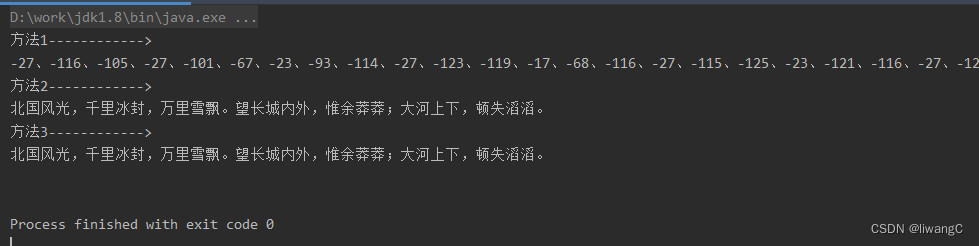
OutputStream
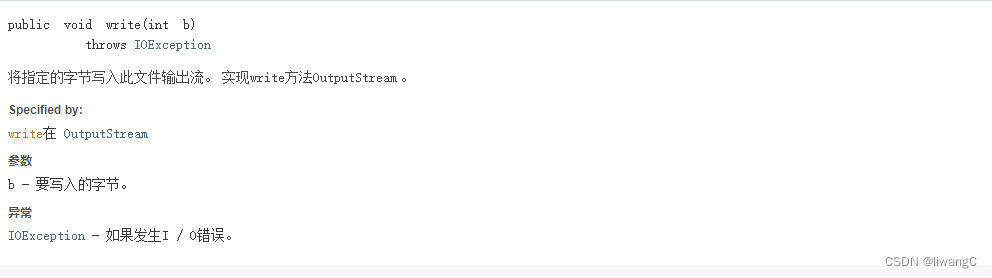
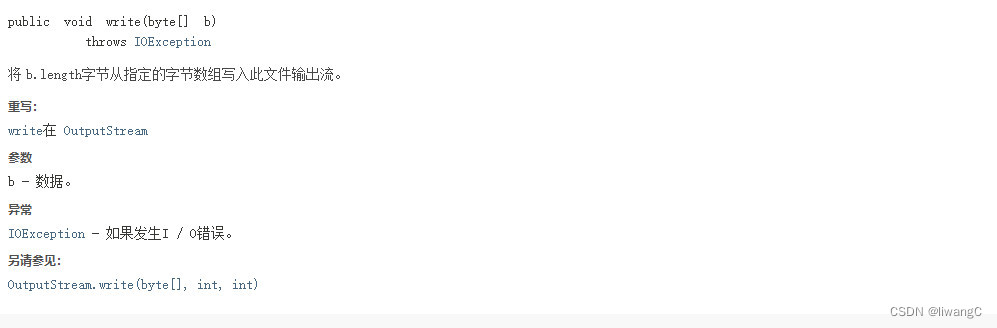
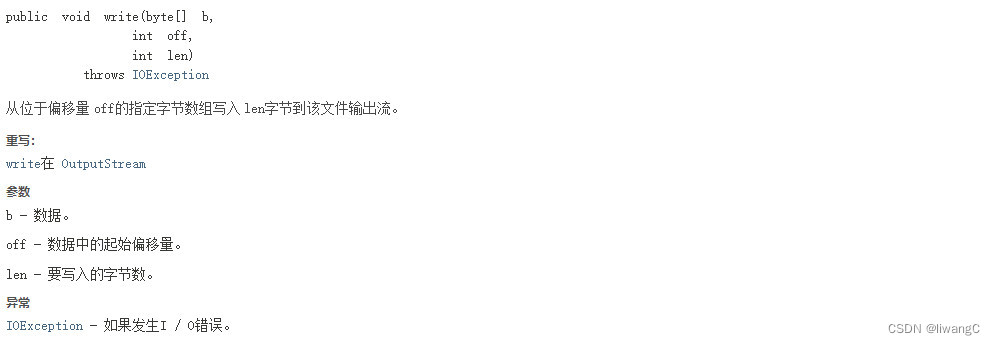
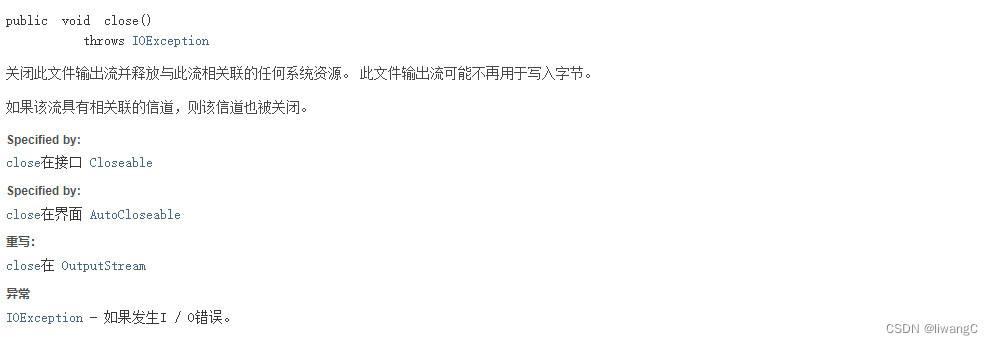
FileOutputStream
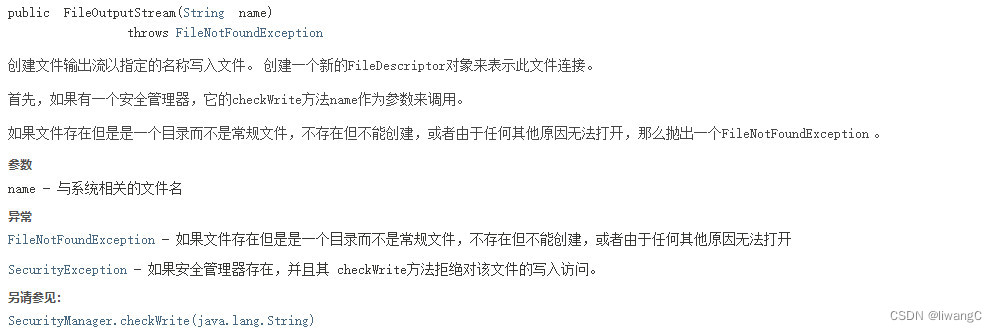
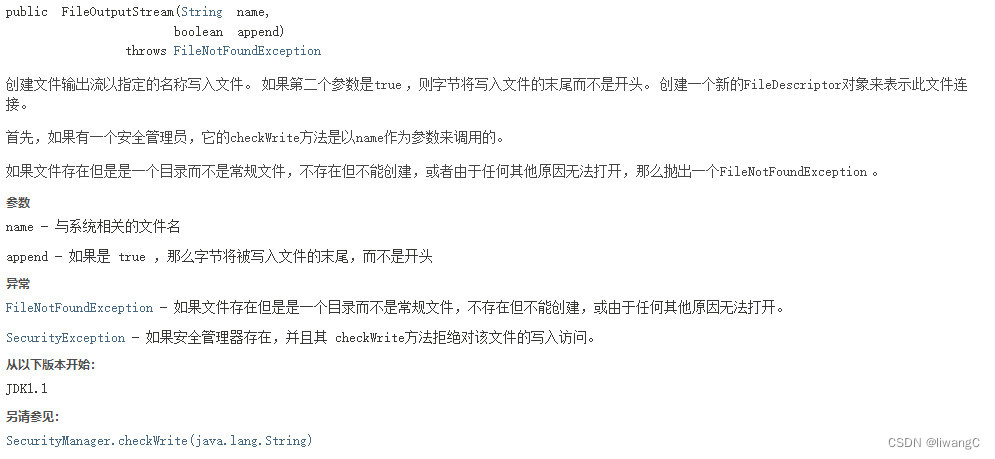
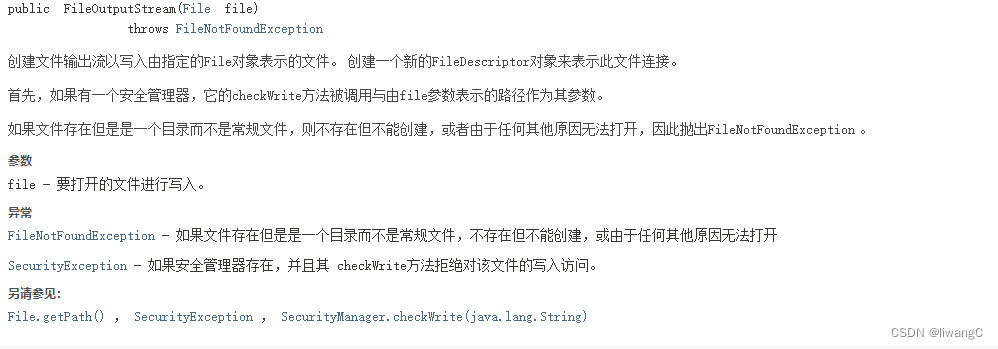
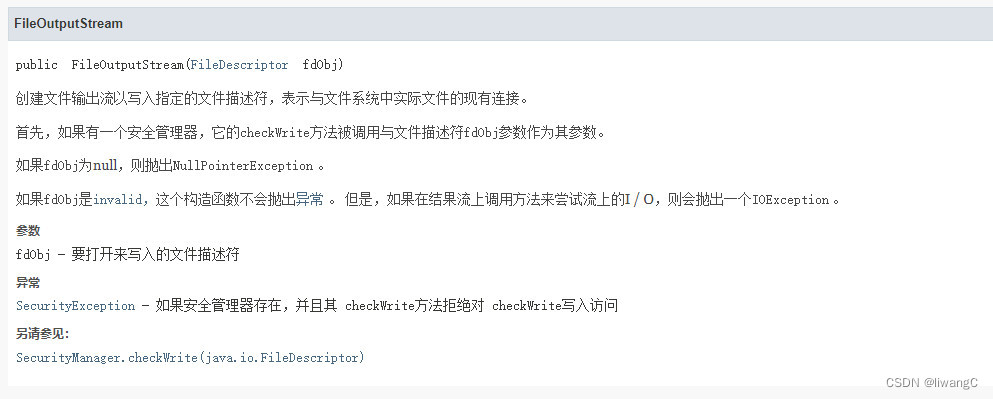
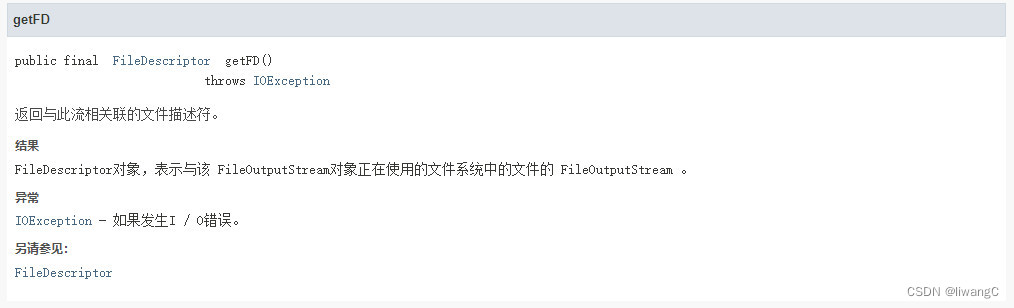
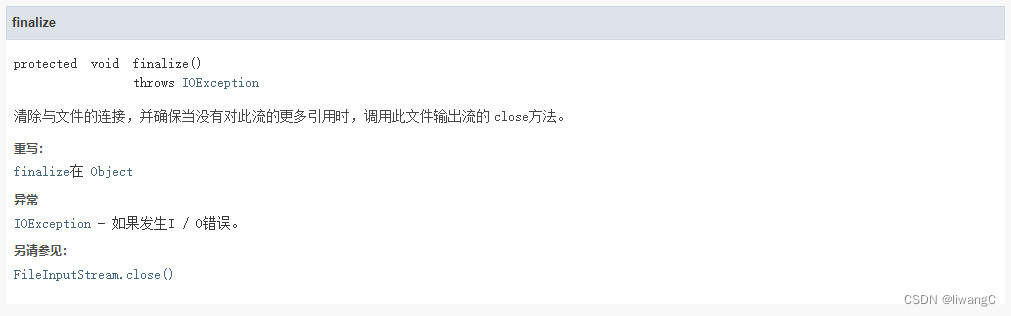
文件输出流是用于将数据写入到输出流File或一个FileDescriptor 。 File 都好理解,FileDescriptor 是文件描述符,可以看作是系统为了管理已经打开的文件,而创建的文件索引。一个文件描述符对应一个文件,不同的文件描述符可以对应同一个文件。执行IO操作需要通过文件描述符。
常用方法详情
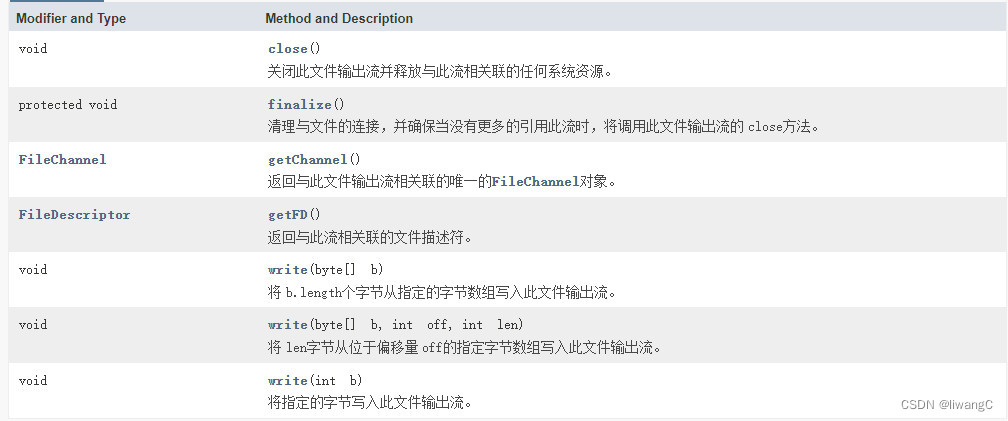
 具体使用:
代码示例
1、write(byte[] b):
public class FileOutputStreamDemo {

    public static void main(String[] args) {
        String fileName = "D:\\work\\workspace\\java-learn\\io\\out.txt";
        String date = "惜秦皇汉武,略输文采。唐宗宋祖,稍逊风骚。一代天骄,成吉思汗。数风流人物,还看今朝。";
        byte[] bytes = date.getBytes();
        // 指定编码
        // byte[] bytes = date.getBytes("UTF-8");
        saveMsg(fileName, bytes);
    }

    public static void saveMsg(String fileName, byte[] data) {
        FileOutputStream foStream = null;
        try {
            foStream = new FileOutputStream(fileName);
            foStream.write(data);
            foStream.close();
        } catch (Exception e) {
            e.printStackTrace();
        } finally {
            if (foStream != null) {
                try { foStream.close();} catch (Exception ee) {}
            }
        }
    }
}
结果:
 2、write(byte[] b, int off, int len) 根据偏移量写入
public class FileOutputStreamDemo {

    public static void main(String[] args) {
        String fileName = "D:\\work\\workspace\\java-learn\\io\\out.txt";
        String date = "惜秦皇汉武,略输文采。唐宗宋祖,稍逊风骚。一代天骄,成吉思汗。数风流人物,还看今朝。";
        byte[] bytes = date.getBytes();
        // 指定编码
        // byte[] bytes = date.getBytes("UTF-8");
//        saveMsg(fileName, bytes);
        saveMsg2(fileName, bytes);
    }

    public static void saveMsg2(String fileName, byte[] data) {
        FileOutputStream foStream = null;
        try {
            foStream = new FileOutputStream(fileName);
            // 偏移12个字符,从“武”开始写入
            foStream.write(data, 12, 21);
            foStream.close();
        } catch (Exception e) {
            e.printStackTrace();
        } finally {
            if (foStream != null) {
                try { foStream.close();} catch (Exception ee) {}
            }
        }
    }

    public static void saveMsg(String fileName, byte[] data) {
        FileOutputStream foStream = null;
        try {
            foStream = new FileOutputStream(fileName);
            foStream.write(data);
            foStream.close();
        } catch (Exception e) {
            e.printStackTrace();
        } finally {
            if (foStream != null) {
                try { foStream.close();} catch (Exception ee) {}
            }
        }
    }
}
结果:

BufferedOutputStream
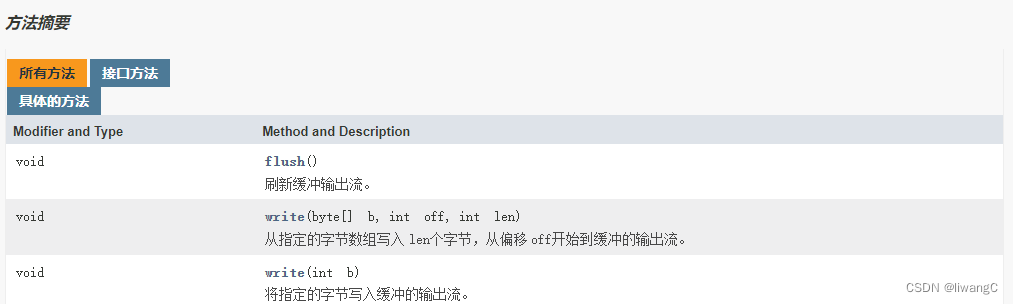
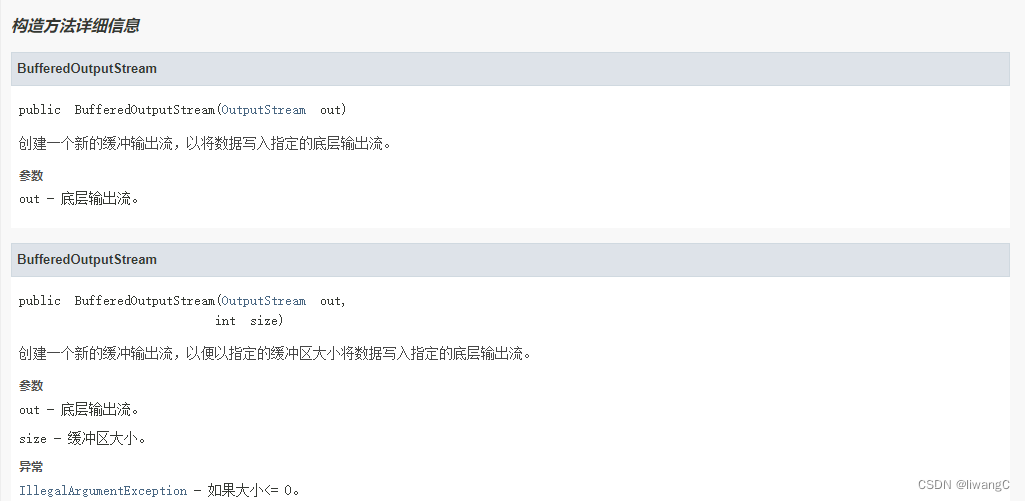
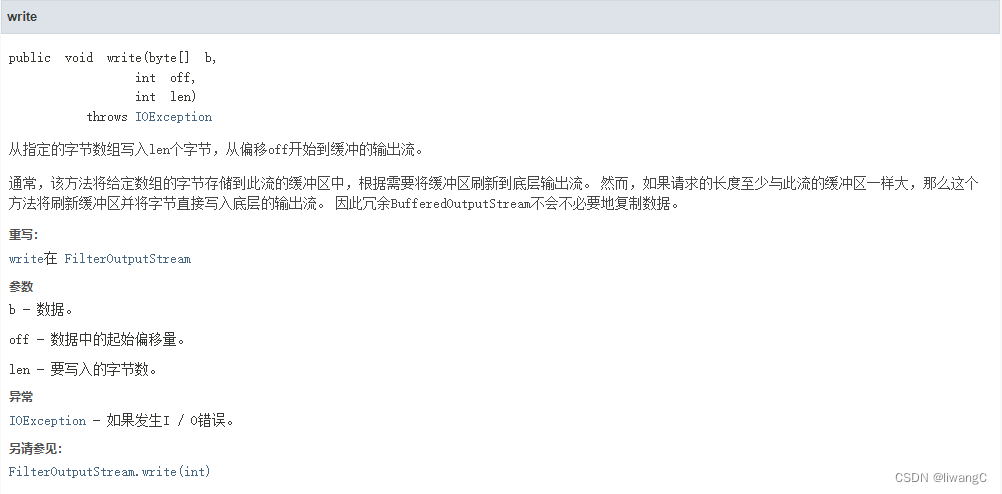
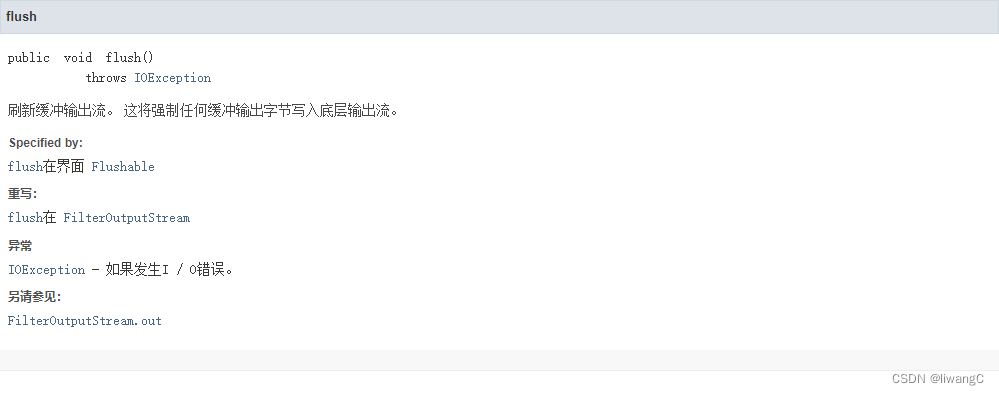
和BufferedInputStream 一样,为了提高读写速度,使用BufferedOutputStream ,在写数据到文件时,不会直接写,而是先写到缓冲区,缓冲区满了,在通过flush() 方法刷新缓冲流,从缓冲区写数据到文件。BufferedOutputStream 默认使用8192 大小的缓冲区。在默认构造方法中定义。可以调用含有int size 构造方法设定缓冲区大小。
常用方法详情
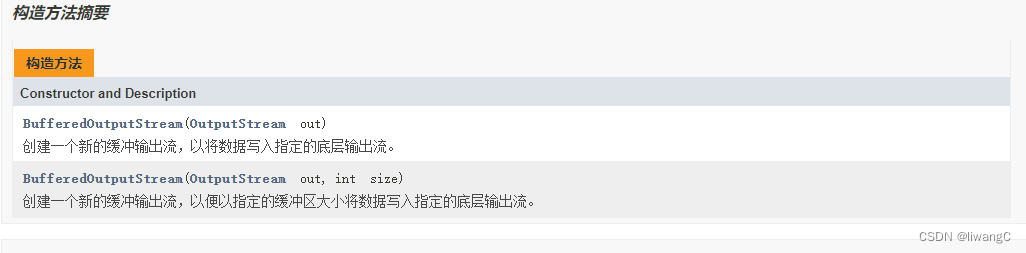
public BufferedOutputStream(OutputStream out) {
        this(out, 8192);
}

public BufferedOutputStream(OutputStream out, int size) {
        super(out);
        if (size <= 0) {
            throw new IllegalArgumentException("Buffer size <= 0");
        }
        buf = new byte[size];
}
代码示例
public class BufferedOutputStreamDemo {

    public static void main(String[] args) {
        String fileName = "D:\\work\\workspace\\java-learn\\io\\bufferedOut.txt";
        String date = "Buffered 惜秦皇汉武,略输文采。唐宗宋祖,稍逊风骚。一代天骄,成吉思汗。数风流人物,还看今朝。";
        byte[] bytes = date.getBytes();
//        saveMsg(fileName, bytes);
        saveMsg2(fileName, bytes);
    }

    public static void saveMsg2(String file, byte[] data) {
        BufferedOutputStream bos = null;
        try {
            bos = new BufferedOutputStream(new FileOutputStream(file));
            // 从“秦”开始写,写4个字符
            bos.write(data, 12, 12);
            // 刷新缓冲输出流
            bos.flush();
            bos.close();
        } catch (FileNotFoundException e) {
            e.printStackTrace();
        } catch (IOException e) {
            e.printStackTrace();
        } finally {
            if (bos != null) {
                try { bos.close();} catch (Exception ee) {}
            }
        }
    }

    public static void saveMsg(String file, byte[] data) {
        BufferedOutputStream bos = null;
        try {
            bos = new BufferedOutputStream(new FileOutputStream(file));
            bos.write(data);
            // 刷新缓冲输出流
            bos.flush();
            bos.close();
        } catch (FileNotFoundException e) {
            e.printStackTrace();
        } catch (IOException e) {
            e.printStackTrace();
        } finally {
            if (bos != null) {
                try { bos.close();} catch (Exception ee) {}
            }
        }
    }
}
结果: 全写
 根据偏移量写

Read
该类的子类,主要用于读取字符流
FileReader
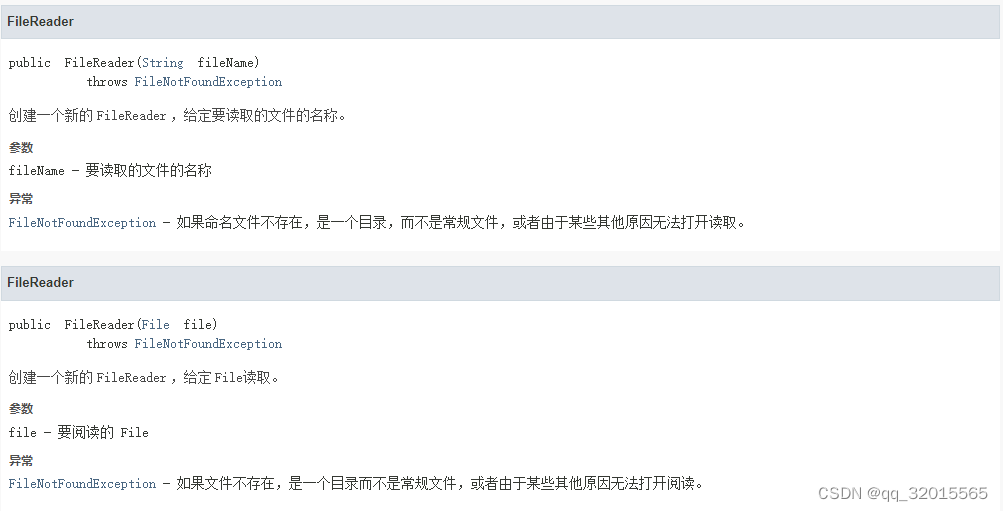
FileReader是用于读取字符流。 FileReader主要方法继承于InputStreamReader,InputStreamReader是从字节流到字符流的桥:它读取字节,并使用指定的charset将其解码为字符 。 它使用的字符集可以由名称指定,也可以被明确指定,或者可以接受平台的默认字符集。 每个调用InputStreamReader的read()方法之一可能会导致从底层字节输入流读取一个或多个字节。 为了使字节有效地转换为字符,可以从底层流读取比满足当前读取操作所需的更多字节。
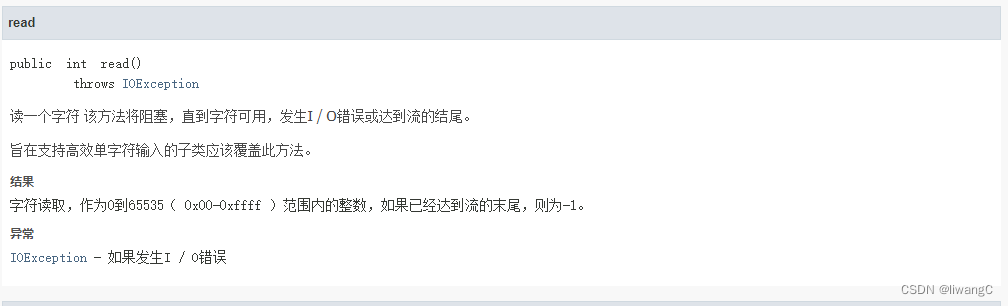
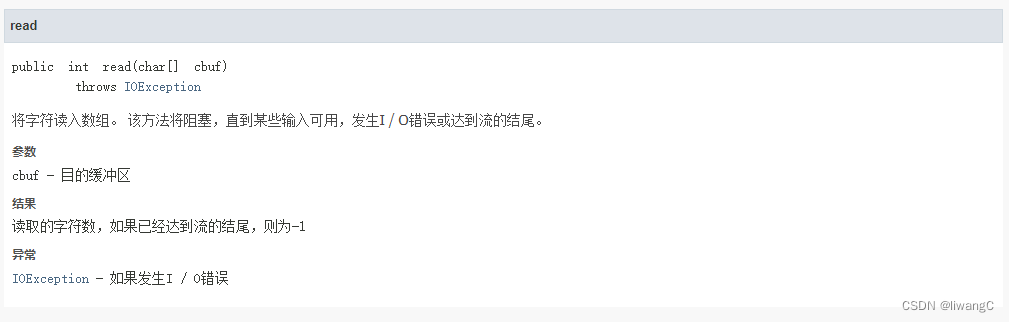
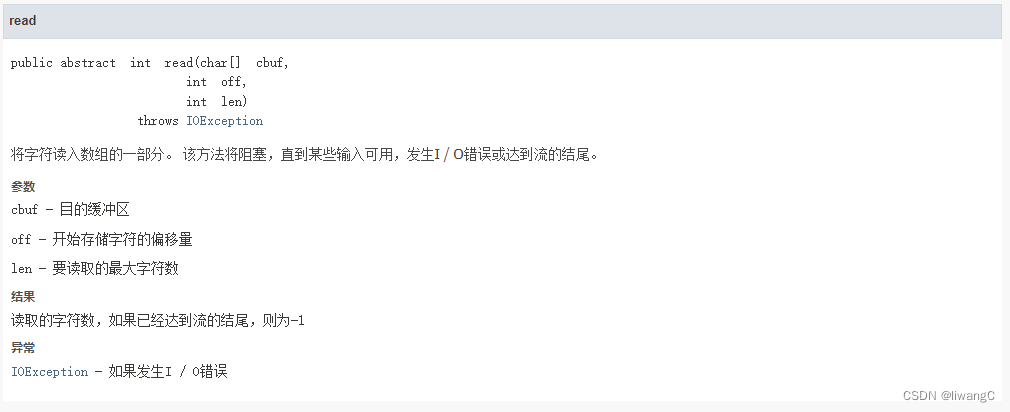
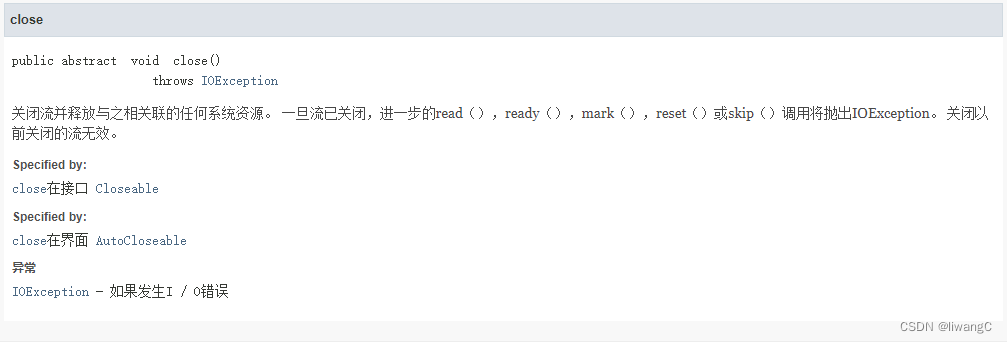
常用方法详情
代码示例
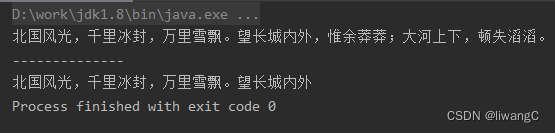
1、read()和read(char[ ] cs)
public class FileReaderDemo {

    public static void main(String[] args) {
        String fileName = "D:\\work\\workspace\\java-learn\\io\\data.txt";
        reader(fileName);
        System.out.println("--------------");
        reader2(fileName);
    }

    public static void reader2(String fileName) {
        try {
            FileReader fr = new FileReader(fileName);
            // 根据字符量设定字符数组
            char[] cs = new char[20];
            // 将数据读入字符数组进行遍历
            fr.read(cs);
            for (char c : cs) {
                System.out.print(c);
            }
            fr.close();
        } catch (FileNotFoundException e) {
            e.printStackTrace();
        } catch (IOException e) {
            e.printStackTrace();
        }
    }

    public static void reader(String fileName) {
        try {
            FileReader fr = new FileReader(fileName);
            int b;
            while ((b = fr.read()) != -1) {
                System.out.print((char)b);
            }
            // 释放资源
            fr.close();
        } catch (FileNotFoundException e) {
            e.printStackTrace();
        } catch (IOException e) {
            e.printStackTrace();
        }
    }
}
结果:
2、read(char[] cbuf, int offset, int length)
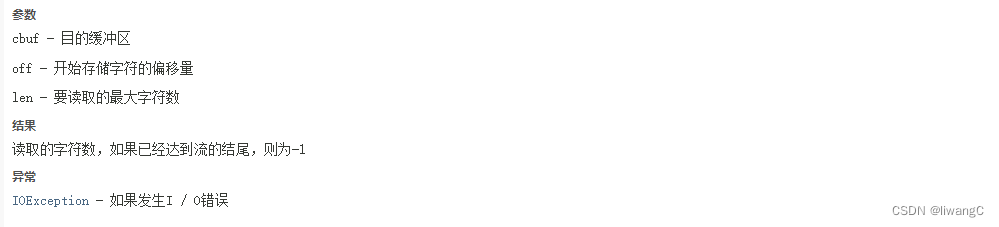
该方法需要注意的是:这里的offset是表示开始存储字符的偏移量,也就是将字符在目的缓冲区cbuf中读入时,偏移cbuf[0]多少偏移量,进行读入length 量
public class FileReaderDemo {

    public static void main(String[] args) {
        String fileName = "D:\\work\\workspace\\java-learn\\io\\data.txt";
//        reader(fileName);
//        System.out.println("--------------");
//        reader2(fileName);
//        System.out.println("--------------");
        reader3(fileName);
    }

    public static void reader3(String fileName) {
        try {
            FileReader fr = new FileReader(fileName);
            char[] cbuf = new char[20];
            // 这里的offset是表示开始存储字符的偏移量,也就是将字符在目的缓冲区cbuf中读入时,偏移cbuf[0]多少偏移量
            // 进行读入length 量
            fr.read(cbuf, 2, 10);
            // 这里进行观察cbuf[0]和cbuf[1]是否是空
            for (char c : cbuf) {
                System.out.print(c + "------");
            }
            fr.close();
        } catch (FileNotFoundException e) {
            e.printStackTrace();
        } catch (IOException e) {
            e.printStackTrace();
        }
    }

    public static void reader2(String fileName) {
        try {
            FileReader fr = new FileReader(fileName);
            // 根据字符量设定字符数组
            char[] cs = new char[20];
            // 将数据读入字符数组进行遍历
            fr.read(cs);
            for (char c : cs) {
                System.out.print(c);
            }
            fr.close();
        } catch (FileNotFoundException e) {
            e.printStackTrace();
        } catch (IOException e) {
            e.printStackTrace();
        }
    }

    public static void reader(String fileName) {
        try {
            FileReader fr = new FileReader(fileName);
            int b;
            while ((b = fr.read()) != -1) {
                System.out.print((char)b);
            }
            // 释放资源
            fr.close();
        } catch (FileNotFoundException e) {
            e.printStackTrace();
        } catch (IOException e) {
            e.printStackTrace();
        }
    }
}
结果:
 从结果可以观察到前面2个字符是空字符,也就是偏移了read(cbuf, 2, 10) 2个字符,读入“北国风光,千里冰封,”10个字符。但是因为设定的cbuf 数组长度为20,所以后面都是------- ------- -------,算一下后面有8个空字符,总共20个字符。
BufferedReader
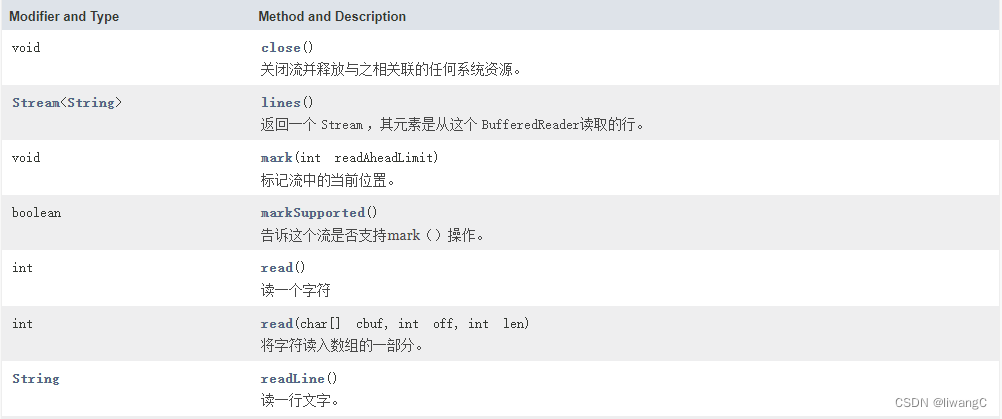
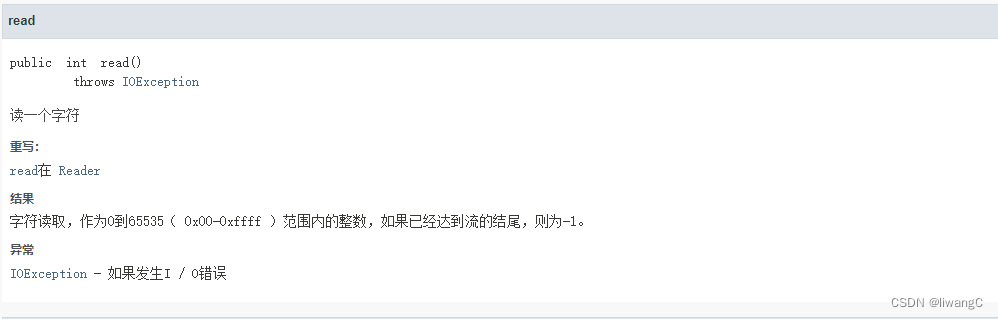
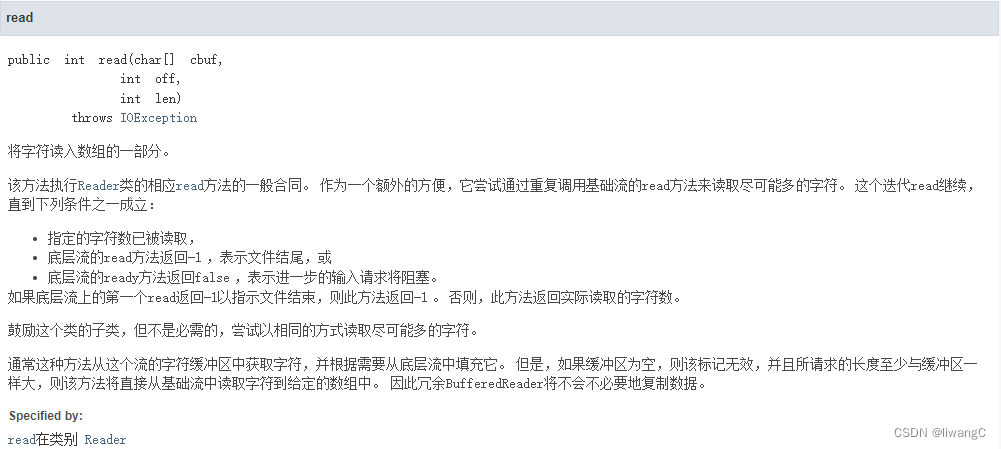
从字符输入流读取文本,缓冲字符,以提供字符,数组和行的高效读取。 可以指定缓冲区大小,或者可以使用默认大小。 默认值足够大,可用于大多数用途。 维护默认的缓冲区大小defaultCharBufferSize = 8192
常用方法详情


代码示例
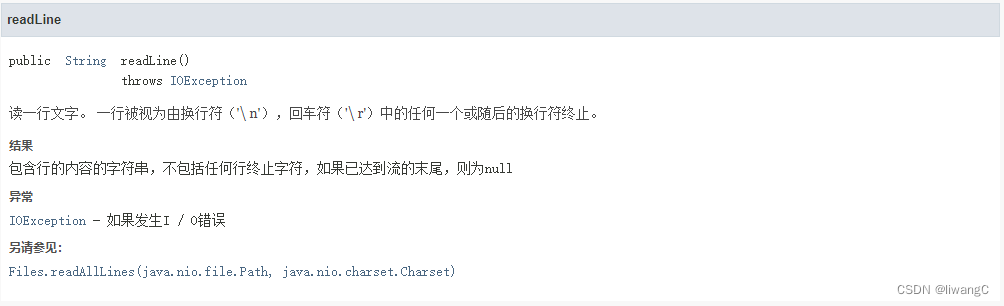
BufferedReader的read() 和read(char[] cbuf, int off, int len)在实现上和FileReader的没什么区别。主要是readLine() 方法可以读一行文字
public class BufferedReaderDemo {

    public static void main(String[] args) {
        String fileName = "D:\\work\\workspace\\java-learn\\io\\data.txt";
//        reader(fileName);
//        System.out.println("-----------");
//        reader2(fileName);
        reader3(fileName);
    }

    public static void reader3(String fileName) {
        try {
            BufferedReader br = new BufferedReader(new FileReader(fileName));
            String line;
            while ((line = br.readLine()) != null) {
                System.out.println(line);
                System.out.println("------");
            }
        } catch (FileNotFoundException e) {
            e.printStackTrace();
        } catch (IOException e) {
            e.printStackTrace();
        }

    }

    public static void reader2(String fileName) {
        try {
            BufferedReader br = new BufferedReader(new FileReader(fileName));
            char[] cbuf = new char[20];
            br.read(cbuf, 2, 10);
            for (char c : cbuf) {
                System.out.print(c + "------");
            }
            br.close();
        } catch (FileNotFoundException e) {
            e.printStackTrace();
        } catch (IOException e) {
            e.printStackTrace();
        }
    }

    public static void reader(String fileName) {
        try {
            BufferedReader br = new BufferedReader(new FileReader(fileName));
            int b;
            while ((b = br.read()) != -1) {
                System.out.print((char)b);
            }
            // 释放资源
            br.close();
        } catch (FileNotFoundException e) {
            e.printStackTrace();
        } catch (IOException e) {
            e.printStackTrace();
        }
    }
}
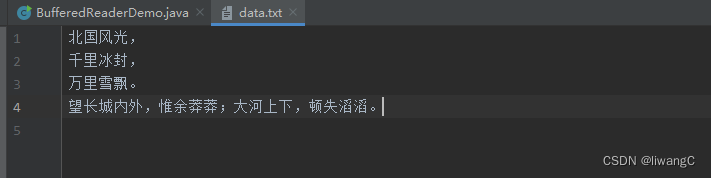
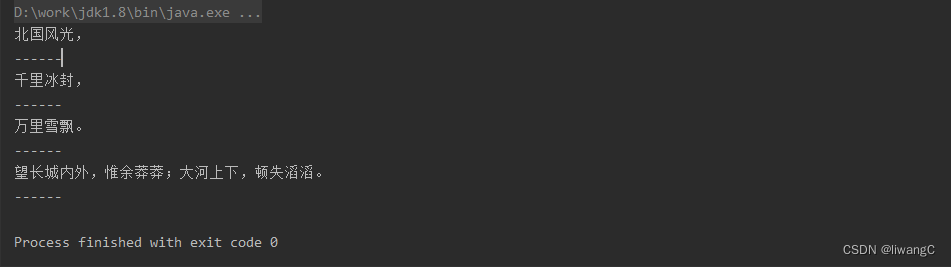
为了更好观察readLine() 方法,将data.txt内容换行,如下:
 运行代码结果:
Write
该类的子类,主要用于写入字符流
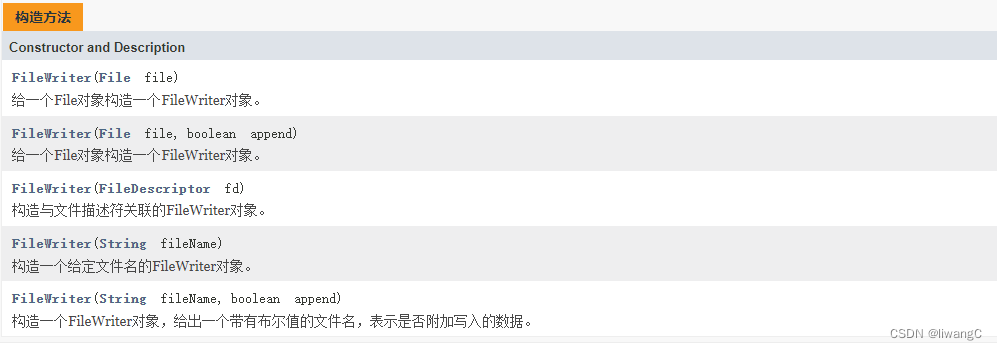
FileWrite
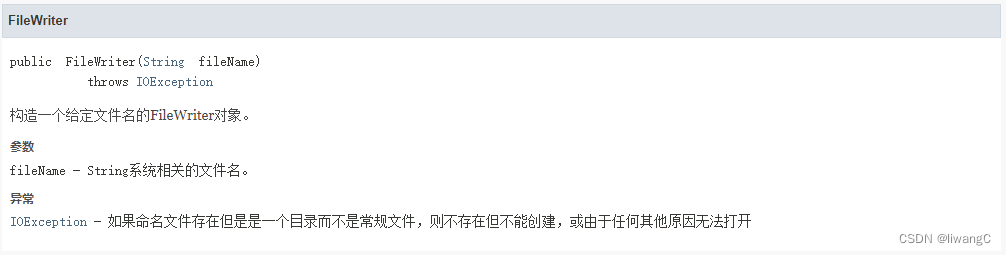
FileWriter是用于写入字符流。
常用方法详情
代码示例
1、write(String s)
public class FileWriteDemo {
    public static void main(String[] args) {
        String fileName = "D:\\work\\workspace\\java-learn\\io\\write.txt";
        String data = "惜秦皇汉武,略输文采。唐宗宋祖,稍逊风骚。一代天骄,成吉思汗。数风流人物,还看今朝。";
        write(fileName, data);
    }

    public static void write(String fileName, String data) {
        try {
            FileWriter fw = new FileWriter(fileName);
            // 该方法相当于write(String str, int off, int len),off为0,len为字符串的长度
            // fw.write(data, 0, data.length());
            fw.write(data);
            fw.flush();
            fw.close();
        } catch (IOException e) {
            e.printStackTrace();
        }
    }
}
查看write.txt文件内容:

2、write(char[] cbuf, int off, int len) 该方法写入字符数组cbuf的一部分。 cbuf - cbuf缓冲区 off - 从中开始编写字符的偏移量 len - 要写入的 len数
public class FileWriteDemo {
    public static void main(String[] args) {
        String fileName = "D:\\work\\workspace\\java-learn\\io\\write.txt";
        String data = "惜秦皇汉武,略输文采。唐宗宋祖,稍逊风骚。一代天骄,成吉思汗。数风流人物,还看今朝。";
//        write(fileName, data);
        write2(fileName, data);
    }

    public static void write2(String fileName, String data) {
        try {
            FileWriter fw = new FileWriter(fileName);
            char[] cbuf =  data.toCharArray();
            // 写入cbuf ,从cbuf[0]开始,长度为10
            fw.write(cbuf, 0, 10);
            fw.flush();
            fw.close();
        } catch (IOException e) {
            e.printStackTrace();
        }
    }

    public static void write(String fileName, String data) {
        try {
            FileWriter fw = new FileWriter(fileName);
            // 该方法相当于write(String str, int off, int len),off为0,len为字符串的长度
            // fw.write(data, 0, data.length());
            fw.write(data);
            fw.flush();
            fw.close();
        } catch (IOException e) {
            e.printStackTrace();
        }
    }
}
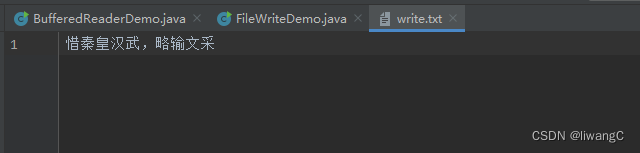
查看write.txt结果:
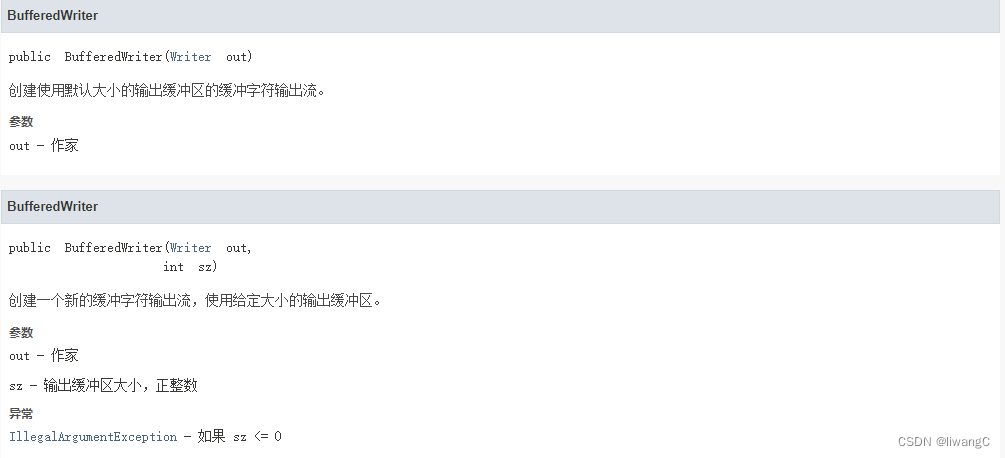
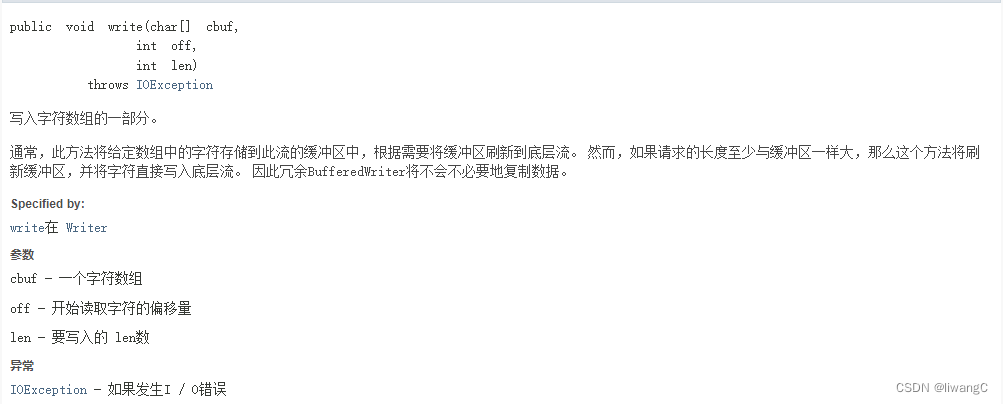
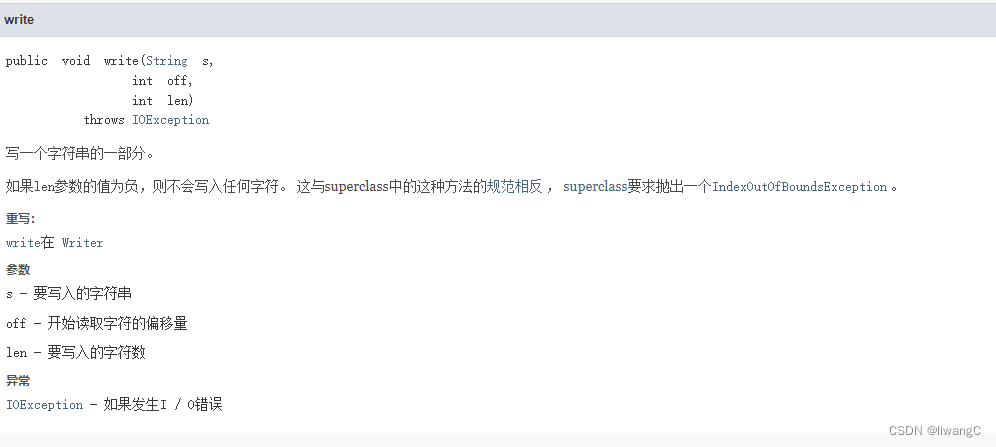
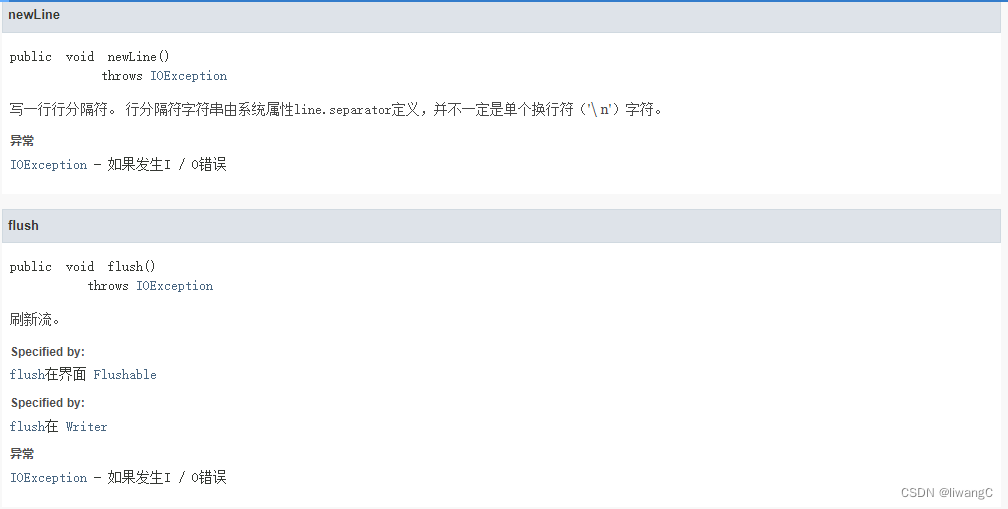
BufferedWrite
将文本写入字符输出流,缓冲字符,以提供单个字符,数组和字符串的高效写入。 可以指定缓冲区大小,或者可以接受默认大小。 默认值足够大,可用于大多数用途。
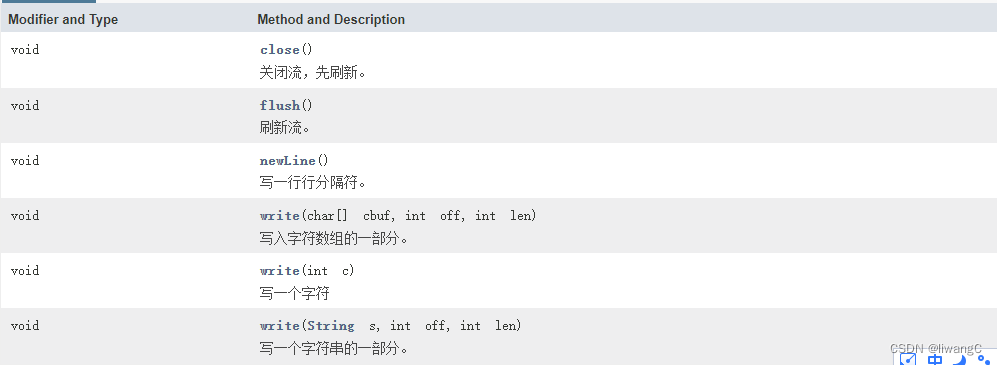
提供了一个newLine()方法,它使用平台自己的系统属性line.separator定义的行分隔符概念。 并非所有平台都使用换行符('\ n')来终止行。 因此,调用此方法来终止每个输出行,因此优选直接写入换行符。
常用方法详情

代码示例
1、write(String s, int off, int len)
public class BufferedWriteDemo {
    public static void main(String[] args) {
        String fileName = "D:\\work\\workspace\\java-learn\\io\\bufferedWrite.txt";
        String data = "buffered-惜秦皇汉武,略输文采。唐宗宋祖,稍逊风骚。一代天骄,成吉思汗。数风流人物,还看今朝。";
        write(fileName, data);
    }

    public static void write(String fileName, String data) {
        try {
            BufferedWriter bw = new BufferedWriter(new FileWriter(fileName));
            bw.write(data, 0, 20);
            bw.flush();
            bw.close();
        } catch (IOException e) {
            e.printStackTrace();
        }
    }
}
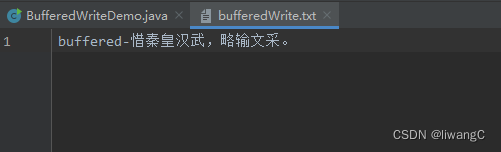
查看bufferedWrite.txt结果:
2、newLine() 该方法主要写入一行行分隔符
public class BufferedWriteDemo {
    public static void main(String[] args) {
        String fileName = "D:\\work\\workspace\\java-learn\\io\\bufferedWrite.txt";
        String data = "buffered-惜秦皇汉武,略输文采。唐宗宋祖,稍逊风骚。一代天骄,成吉思汗。数风流人物,还看今朝。";
//        write(fileName, data);
        write2(fileName, data);
    }

    public static void write2(String fileName, String data) {
        try {
            BufferedWriter bw = new BufferedWriter(new FileWriter(fileName));
            // 这里测试没有newLine()的情况
            bw.write(data);
            bw.write("我是没有newLine之后的");

            // 这里测试有newLine()的情况
            bw.newLine();
            bw.write(data);
            bw.newLine();
            bw.write("我是newLine之后的");
            bw.flush();
            bw.close();
        } catch (IOException e) {
            e.printStackTrace();
        }
    }

    public static void write(String fileName, String data) {
        try {
            BufferedWriter bw = new BufferedWriter(new FileWriter(fileName));
            bw.write(data, 0, 20);
            bw.flush();
            bw.close();
        } catch (IOException e) {
            e.printStackTrace();
        }
    }
}
可以查看bufferedWrite.txt结果:

可以看出来有newLine和没有的情况。
写到这里,暂时的完成了java 主要输入输出流的常用操作及测试。后续有需要在继续更新上来。
可以看看我的个人博客: 网站:https://www.fuzm.wang / https://liwangc.gitee.io
—————————————————————————
作为初学者,很多知识都没有掌握,见谅,如有错误请指出,以期进步,感谢!。后续有新的学习,继续补充上来。